Best Practice 2.6 – Provide means to close popovers (Baseline level)
Ensure all popovers can be closed by buttons and accessible by screen reader.
Scenario 1
Example 1
| Before Rectification | After Rectification |
|---|---|
 |
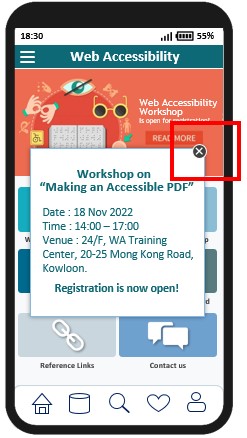 |
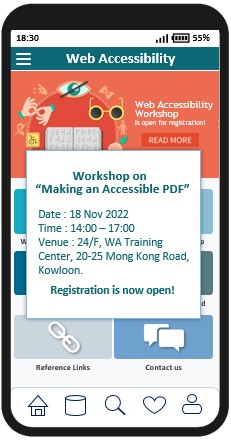
| In this example, screen reader user is unable to close the popover. | It is a good practice to provide a close button to close the popover, so that screen reader user can locate the close button and execute it accordingly. |
Example 2
| Before Rectification | After Rectification |
|---|---|
 |
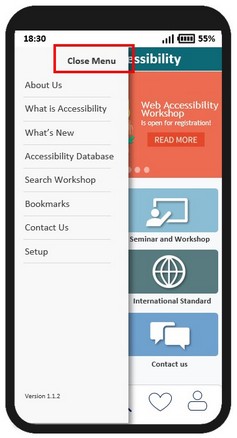 |
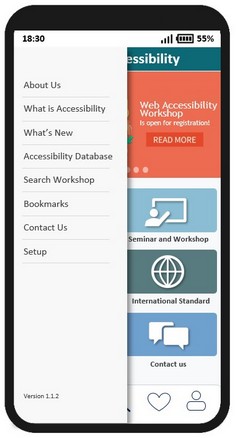
| In this example, the only way to close the hamburger menu is to tap the empty area outside the menu. User with screen reader is unable to close it. | It is a good practice to provide a close button to close the popover. All users, including screen reader users, are able to close the menu easily. |
Scenario 2
| Before Rectification | After Rectification |
|---|---|
 |
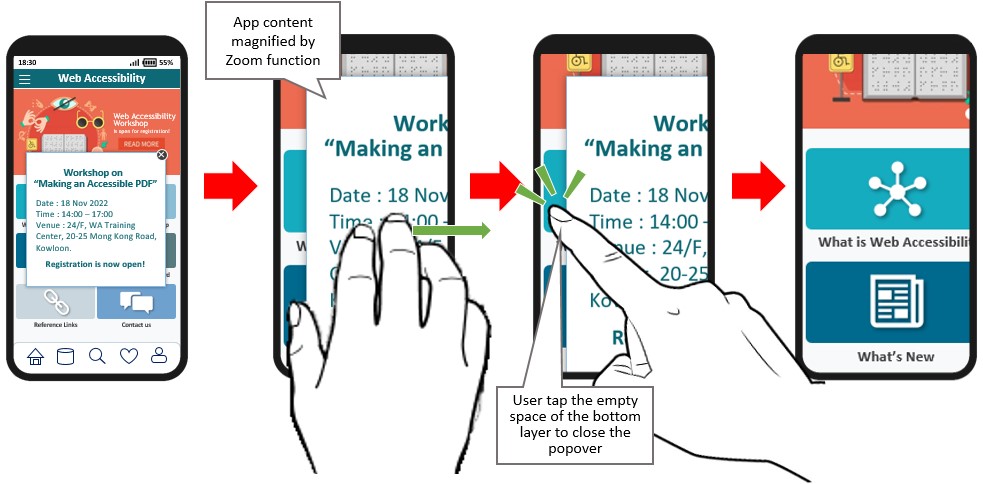 |
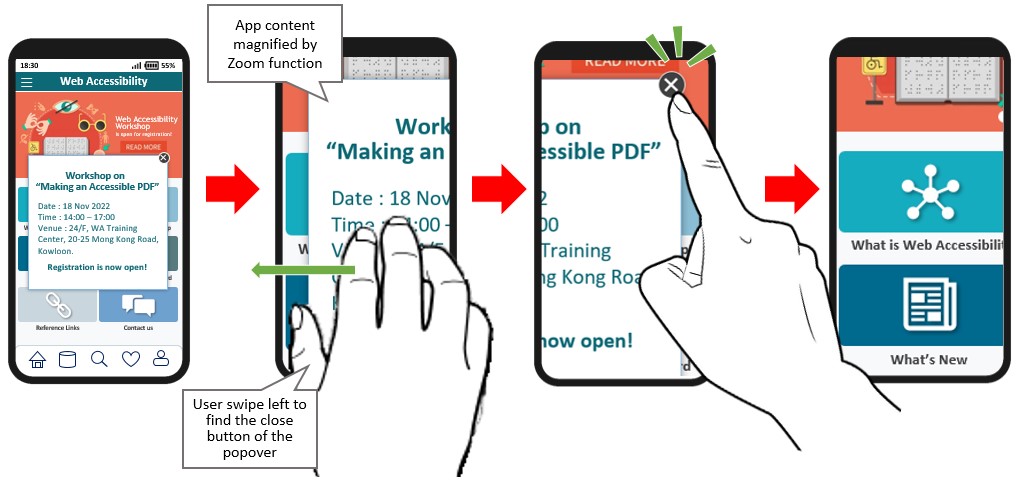
| In this example, users with low vision may enlarge the screen by using zoom in function. After the zoom in function is on, the content cannot show in one screen. In this case, they need to swipe the screen to the left for closing the popover by tapping on the close button on the top right hand corner. | An alternative solution is provided so that user can tap outside of the popover to close it |
W3C WCAG Reference: 2.1.2 No Keyboard Trap